← All Posts

From Six Words to Working Backend

I’ve spent four posts building up to this moment. We created a PRD. We expanded it into 27 documentation files. We set up rules to constrain AI behaviour.

Now we build.

(And by “we” I mean me and the robots)

My first instruction to Cursor: “Let’s get started with the first stage.”

That’s it. Six words. Not a novel-length prompt. Not a bullet-pointed specification. Not even a “please” because apparently I’ve lost all manners when talking to robots.

Seven minutes later, Stage 1 is complete. The AI has:

  • Created all the foundation files

  • Set up the database schema

  • Configured the Google Places API integration

  • Written the Prisma configuration (Prisma is the tool that lets our code talk to the database)

  • Fixed deprecated package warnings

It’s now asking me to set up my local PostgreSQL database and add my API key. Which is exactly what the implementation plan said would happen at the end of Stage 1.

When “Change of Plan” Doesn’t Mean Starting Over

But I don’t want a local database. I want Supabase.

So I tell it:
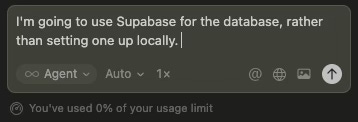
A chat box in cursor. The user has typed "I’m going to use Supabase for the database, rather than setting one up locally."

Watch what happens.

The AI creates a complete Supabase setup guide. Updates the Prisma schema. Generates environment variable templates. Modifies the quick setup documentation.

It’s not sulking. It’s not making me feel bad about changing my mind. It’s just adapting.

Connection Pooling URL: Use for all Prisma queries (DATABASE_URL)
Direct Connection URL: Use for migrations (DIRECT_DATABASE_URL)

It anticipates the PostGIS extension requirement:

“Supabase has PostGIS available, but you may need to enable it:
Go to SQL Editor in your Supabase dashboard...”

It explains Row Level Security implications:

“Supabase enables RLS by default. For Prisma access: Disable RLS on tables, or create policies that allow service role access.”

This isn’t code generation. It’s technical decision support.

Why does this work? The Core Development Workflow rule tells the AI to update documentation when requirements change. It’s not improvising. It’s following a system.

When Errors Don’t Derail You

I follow the Supabase setup guide. Create a project in under two minutes. Copy the connection strings to .env.local. Run npm run db:generate. Success.

Then I run npm run db:migrate. It fails.

Error: Environment variable not found: DIRECT_DATABASE_URL.

Right. Cool. Love that for me.

I paste the error into chat. “I get an error on migrate.”

The AI spots it immediately. Prisma CLI looks for .env by default, not .env.local. It creates the proper .env file and runs the migration.

Proof It Worked

The foundation is complete. Not because I knew what I was doing. Because the AI had enough context to fix problems as they emerged.
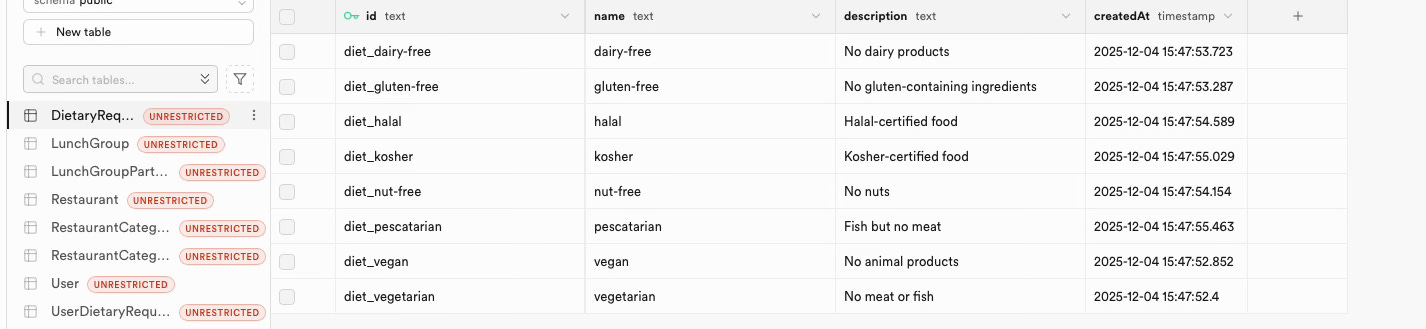
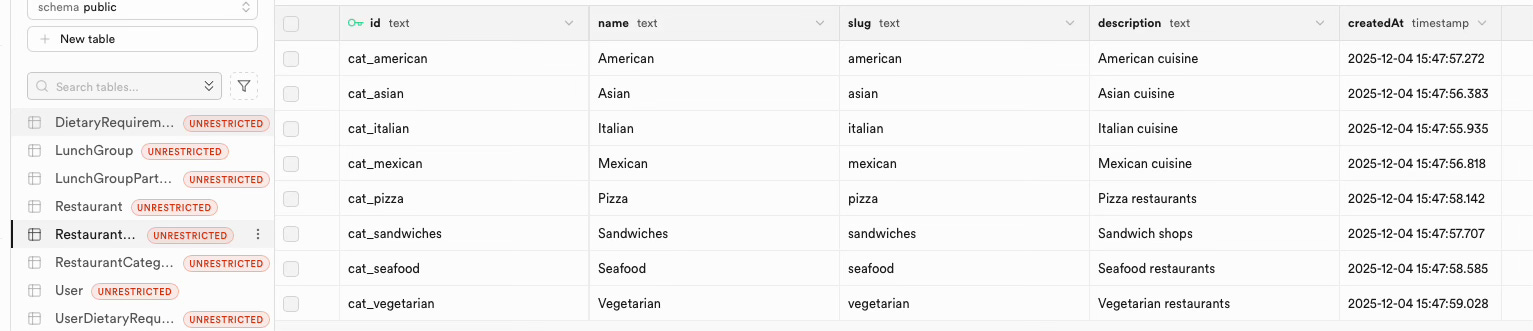
Screenshot 1: DietaryRequirement table
Screenshot 2: RestaurantCategory table

Database created. Tables migrated. Seed data loaded. Eight dietary requirements. Eight restaurant categories. All timestamped. All ready to use.

The AI pauses:

“You can now continue with Stage 2: Core Backend & Data Layer:

  • Implement User model and CRUD operations

  • Create API routes for authentication

  • Build restaurant search integration with Google Places API

  • Implement lunch group CRUD operations

Would you like me to start working on Stage 2, or do you want to explore the database first?”

It’s not steamrolling ahead. It’s asking permission. This is what proper constraints look like. The AI knows it’s at a stage boundary. It knows I might want to verify before proceeding.

I could open Prisma Studio and poke around. I could test the database connection. I could take a break.

Or I can say “continue” and watch it build Stage 2.

Stage 2: Watching The AI Work

I say “Let’s continue” and the AI builds Stage 2.

API infrastructure. Validation schemas. Error handling utilities. User registration endpoint. Google Places API client with 24-hour caching. Distance calculations using the Haversine formula. Walk time estimation. Authentication configuration.
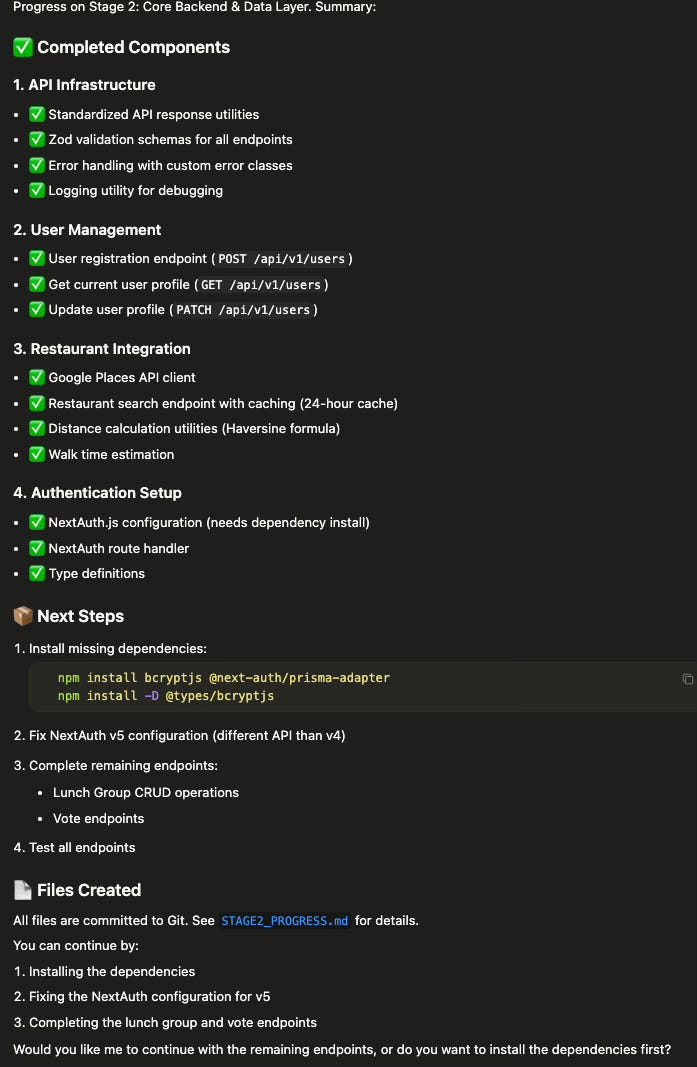
Screenshot 3: Progress summary with green ticks

All tracked. All documented. All committed to Git with a progress file (STAGE2_PROGRESS.md).

The AI hits a snag. NextAuth v5 uses different APIs than v4. It needs to install dependencies and fix the configuration.

But it doesn’t just barrel ahead. It asks:

“Would you like me to continue with the remaining endpoints, or do you want to install the dependencies first?”

This is what systematic building looks like. Not improvisation. Not hope. Just consistent execution of a documented plan.

When The AI Fixes Its Own Mistakes

The AI asks me to install dependencies:

npm install bcryptjs @next-auth/prisma-adapter

I run it. It fails.

npm error ERESOLVE unable to resolve dependency tree
npm error peer next-auth@”^4” from @next-auth/prisma-adapter@1.0.7

Oh great. The AI just told me to install something that doesn’t work.

I paste the error into chat. “Help me with this.”

The AI spots the problem immediately:

“NextAuth v5 uses a different adapter. @next-auth/prisma-adapter is for v4.”

Then it goes further:

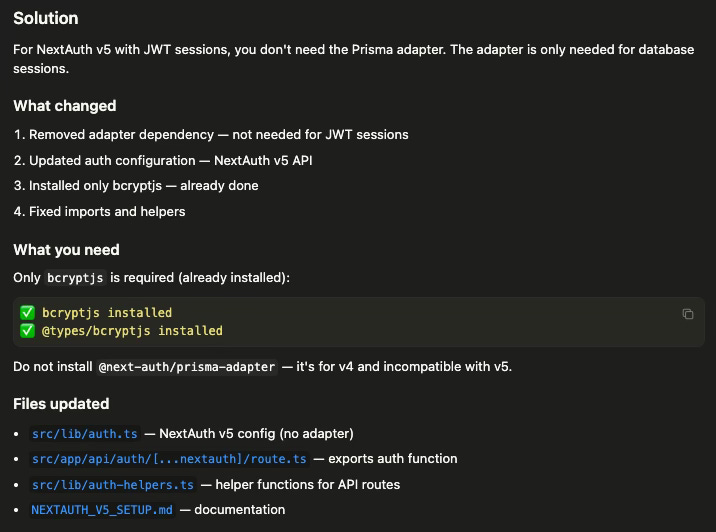
“Since we’re using JWT sessions, we don’t need the Prisma adapter. The adapter is only needed for database sessions.”

It removes the adapter dependency. Updates the auth configuration for NextAuth v5 API. Fixes imports and helpers. Creates documentation explaining the change.

Screenshot 4: Solution summary

✅ bcryptjs installed
✅ @types/bcryptjs installed
✅ NextAuth v5 config (no adapter)
✅ Helper functions for API routes
✅ Documentation updated

The AI didn’t just fix the error. It understood why the error happened and corrected its approach.

This is what proper constraints enable. The system self-corrects. I don’t need to know NextAuth’s migration path from v4 to v5. I just need to paste errors and let the AI figure it out.

Stage 2 Complete: From Zero to Backend

Stage 2 is done.

Nine API endpoints. Four core libraries. Four utilities. Type definitions. Security middleware.

✅ User authentication and login
✅ User profile management
✅ Restaurant search with Google Places
✅ Lunch group creation and management
✅ Participant management with dietary requirements
✅ Complete voting system

All protected. All validated. All type-safe. All committed to Git with documentation.

From “let’s get started” to working backend. No Stack Overflow. No debugging rabbit holes. Just systematic execution of a documented plan.

What Made This Work

This wasn’t magic. Three things enabled this:

  1. Complete documentation — The AI had 27 files explaining exactly what to build

  2. Proper constraints — The Core Development Workflow rule kept it on track

  3. Technical decision support — When I said “use Supabase instead,” it didn’t just change a config file. It created implementation guides.

The AI made mistakes. Authentication library conflicts. Deprecated packages. Environment variable locations.

But it self-corrected. Because it had enough context to understand why things failed, not just that they failed.

What Comes Next

Stage 3 builds the frontend foundation. Stage 4 creates the core pages. Stage 5 polishes the UI.

But the pattern stays the same. Simple instructions. Systematic execution. Documentation-driven development.

This is vibe coding with constraints. The AI does the work. I make the decisions.

And it ships.

Thanks for reading! If you found this useful, then perhaps someone else might too.

Share


Next post: Stage 3 where we build the UI and I discover new ways to break things.